Creating a campaign with Range Based Incentive
Creating a basic campaign on Metrom is straightforward, as covered in creating a campaign. Launching one with an attached Range-based Incentive is just as easy. For a quick refresher on Range-based Incentives, check out Range Based Incentives.
Configuration
Once all the required form steps are completed, it’s time to SET RANGE TO REWARD and explore the available configuration options.
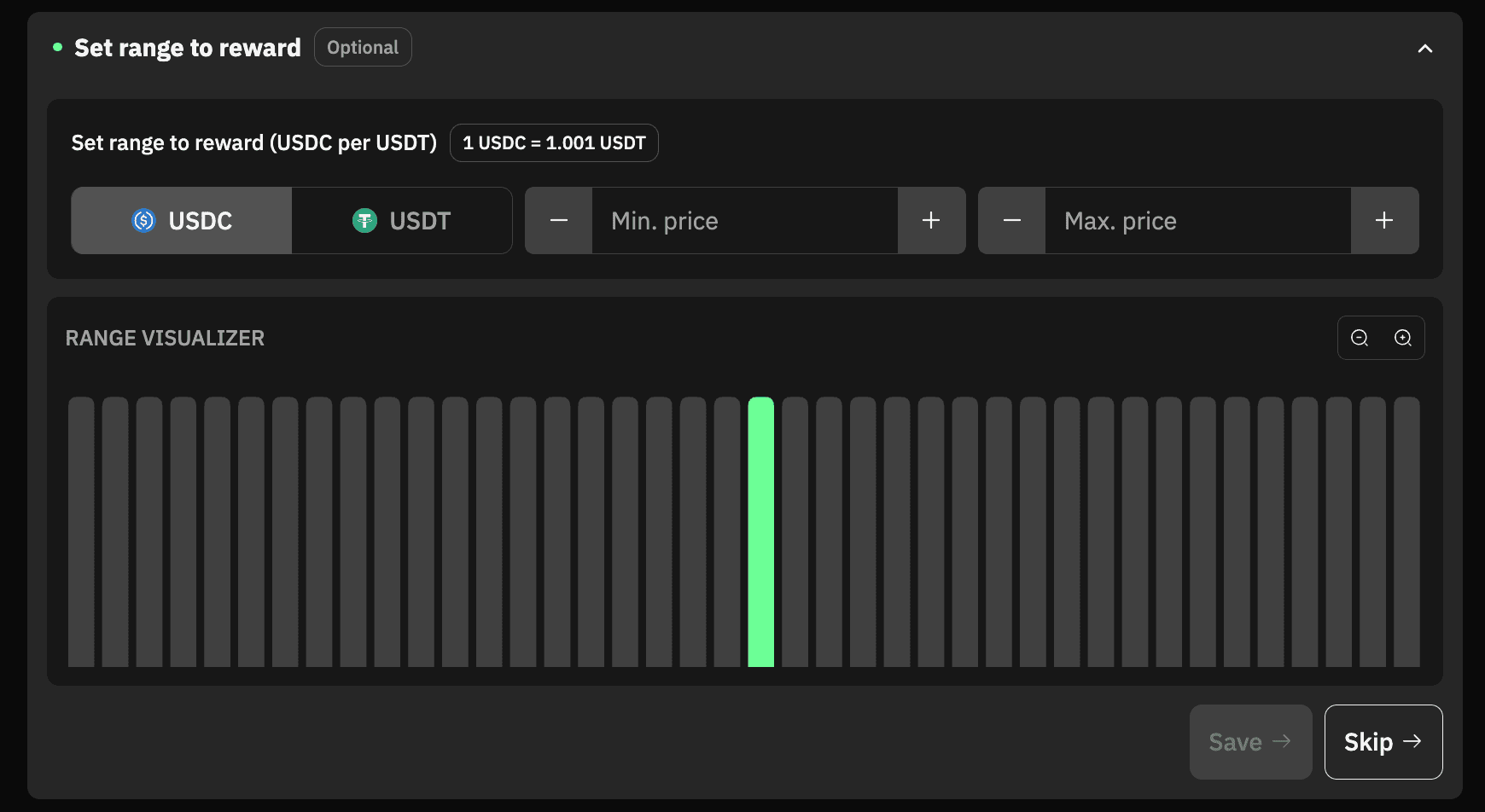
Once expanded, the interface shows a range visualizer with the current price displayed at the top.
-
Current Price: Shows you the current price for the tokens that are present in the selected pool. You can toggle the relative price in terms of Token A / Token B by clicking on the token name.
-
Min Price & Max Price: These values allow you to customize the incentivization strategy by restricting reward distribution to a specific tick range.
-
Range Visualizer: It lets you visualize the range you set for incentivization. The middle is always the current price of the tokens.
Example Campaign:
In the USDC-USDT pair, the current price is 1 USDC = 1.002 USDT. If you click on USDT, it will show the current price of 1 USDT = 0.9995 USDC.
Min Price we set is 0.99 and we set the Max price to 1.01.
Range visualizer will show you the range you set to incentivize in real-time.
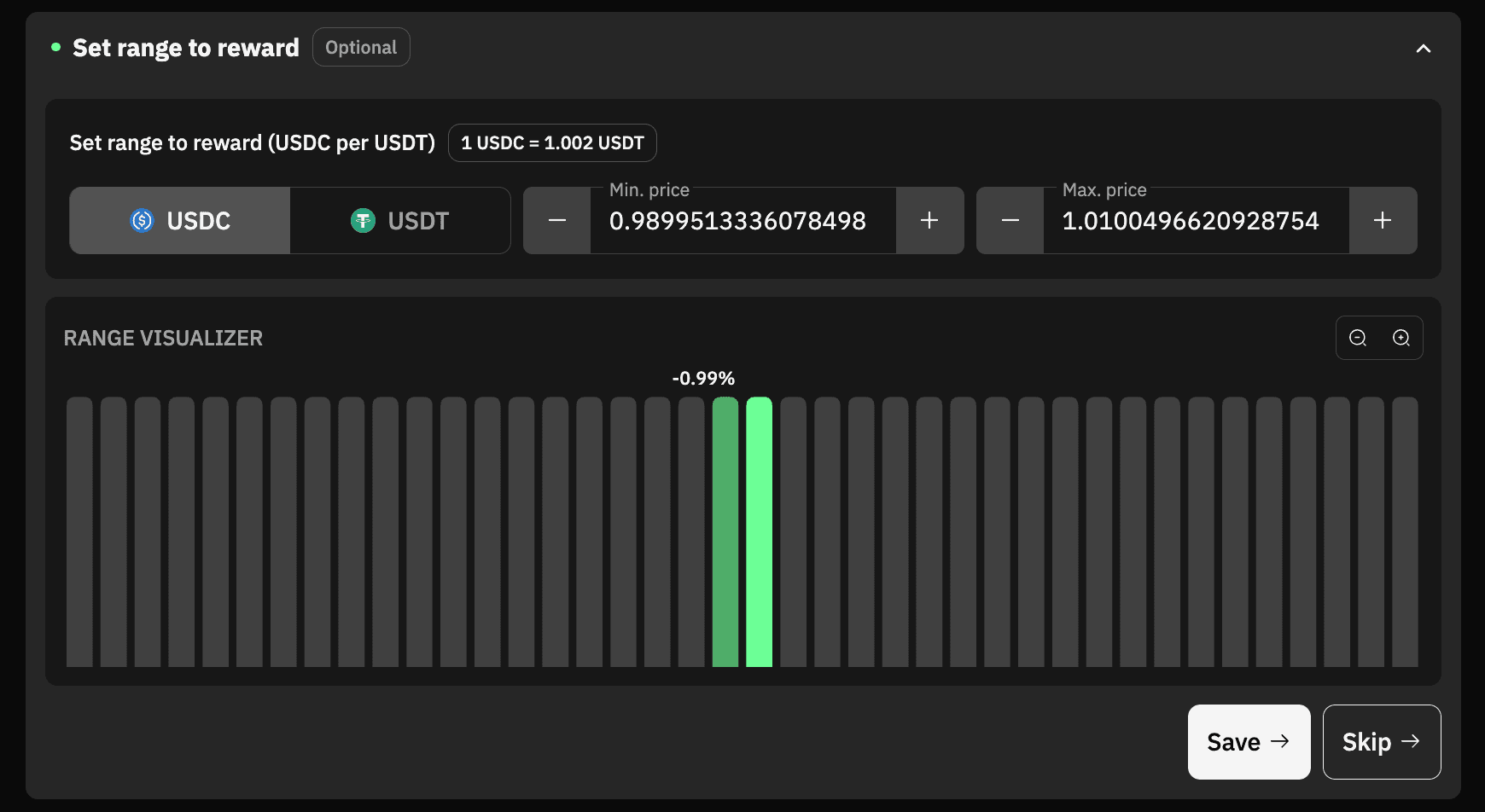
Once you’re satisfied with the Range-based incentivization setup, save the changes and check the campaign preview on the right side, where you can review all the details.
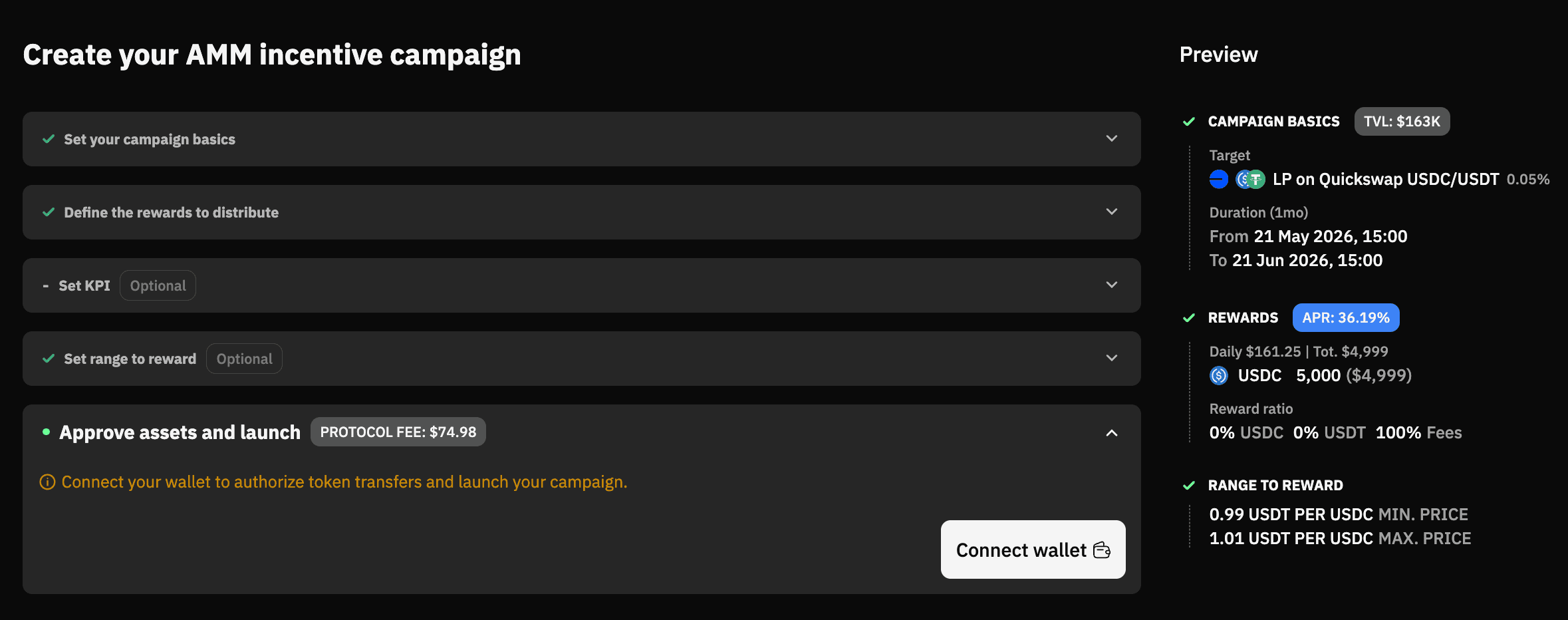
At this point, the only thing left to do is approve the reward tokens and launch the campaign.